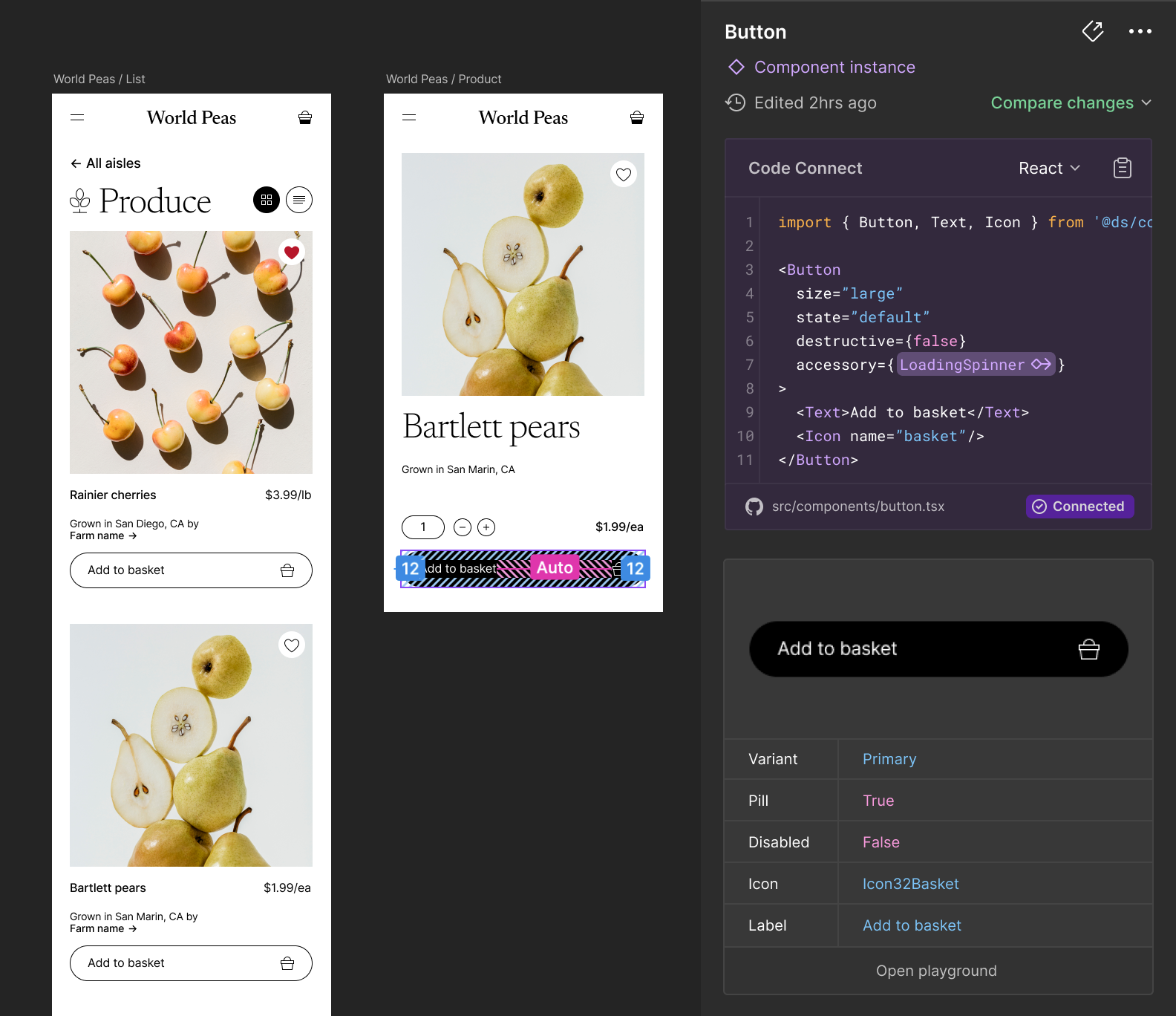
Code Connect is a tool for connecting your design system components in code with your design system in Figma. When using Code Connect, Figma's Dev Mode will display true-to-production code snippets from your design system instead of autogenerated code examples. In addition to connecting component definitions, Code Connect also supports mapping properties from code to Figma enabling dynamic and correct examples. This can be useful for when you have an existing design system and are looking to drive consistent and correct adoption of that design system across design and engineering.
Code Connect is easy to set up, easy to maintain, type-safe, and extensible. Out of the box Code Connect comes with support for React (and React Native), Storybook, HTML (e.g. Web Components, Angular and Vue), SwiftUI and Jetpack Compose.
Note
Code Connect is available on Organization and Enterprise plans and requires a full Design or Dev Mode seat to use.
Use Figma’s Code Connect to make your design system easily accessible to your developers and create a shared source of truth for both the design and code elements.
Our Getting Started guide will walk you through the process of setting up Code Connect, using our interactive setup to automatically map components, and publishing your first components. Code Connect Documentation →
Code Connect comes with support for different frameworks and languages. Our integration guides will walk you through the process of refining your components by mapping props and variants for: