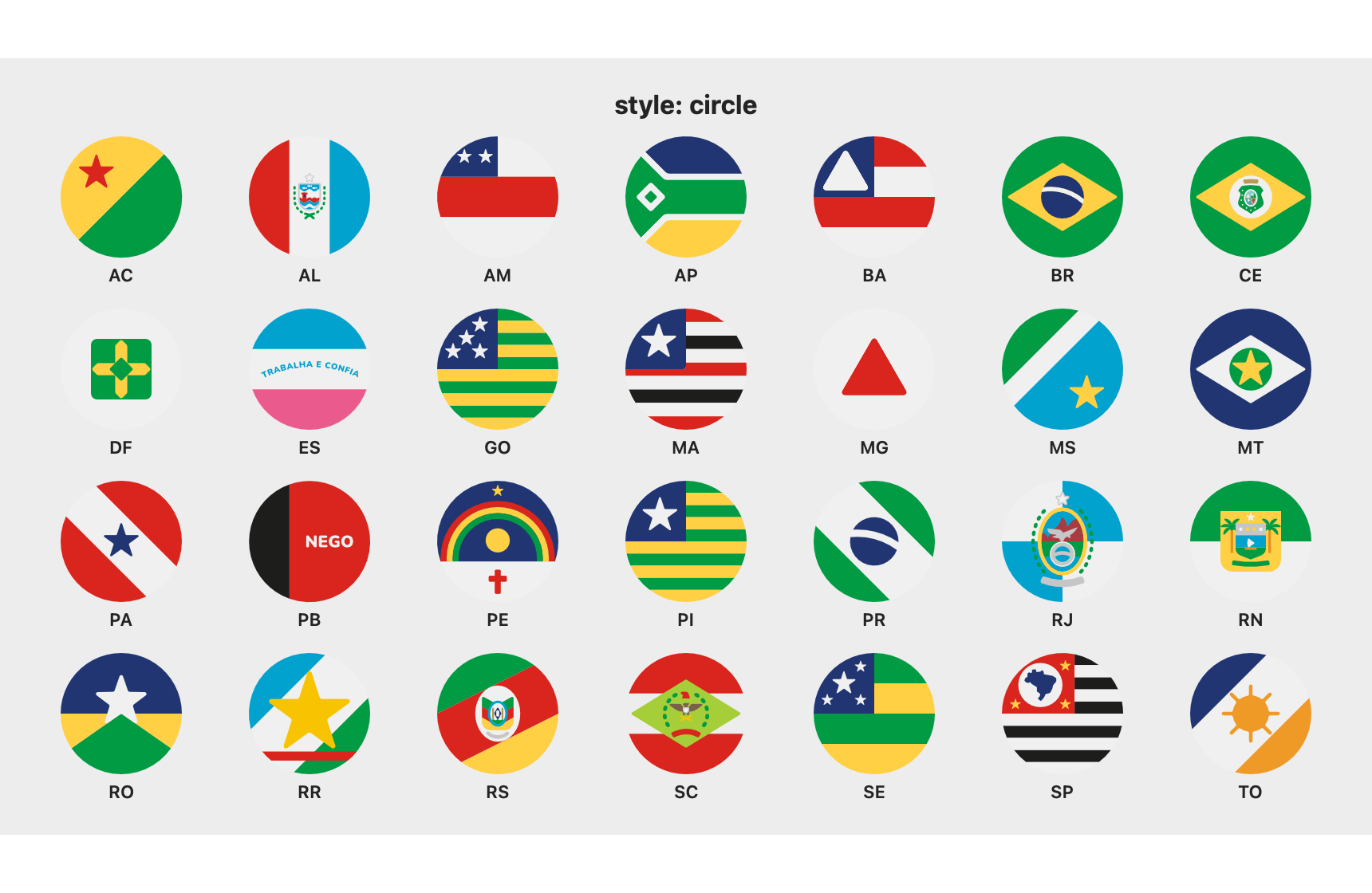
Bandeiras dos 26 estados brasileiros, do Distrito Federal e do Brasil.
Nítidas em qualquer tamanho, em Swift puro, para SwiftUI.


Português · English
Também existe para outras plataformas: Flutter · Compose Multiplatform
- 28 bandeiras em 4 estilos:
full(3:2),rounded(3:2 com cantos arredondados),squareRoundedecircle. - Zero assets e zero dependências. Cada bandeira é vetor compilado em Swift, sem nada em
Assets.xcassets. - Nada é construído de forma ansiosa. Cada bandeira é um
static letpreguiçoso, então o linker descarta as que o app nunca cita. - Nítidas em qualquer tamanho, de 16 pt a tela cheia.
- iOS, macOS, tvOS, watchOS e visionOS.
No Xcode: File → Add Package Dependencies e cole a URL do repositório.
Ou no Package.swift:
dependencies: [
    .package(
        url: "https://github.com/Adrianogba/brazil-state-flags-swift.git",
        from: "1.0.0"
    )
]import BrazilStateFlags
import SwiftUI
// Escolha o estilo, depois o estado.
BrazilStateFlagView(FlagsCircle.saoPaulo)
.frame(width: 48, height: 48)
BrazilStateFlagView(FlagsFull.rioDeJaneiro)
.frame(width: 120)
// Siglas de UF funcionam como atalho.
BrazilStateFlagView(FlagsCircle.sp)
.frame(width: 24, height: 24)As quatro coleções são FlagsFull, FlagsRounded, FlagsSquareRounded e
FlagsCircle.
A view respeita a proporção da arte, então a bandeira nunca é esticada. Basta
dar um frame:
BrazilStateFlagView(FlagsFull.parana).frame(width: 150)   // vira 150 x 100
BrazilStateFlagView(FlagsCircle.parana).frame(width: 64) // vira 64 x 64Formulários de endereço precisam escolher a bandeira a partir de uma string:
if let bandeira = flagForUF("sp", style: .circle) {
    BrazilStateFlagView(bandeira).frame(width: 32, height: 32)
}

// Montando um seletor:
List(BrazilState.all) { estado in
    HStack {
        BrazilStateFlagView(estado.flag(.circle)).frame(width: 28, height: 28)
        Text("\(estado.uf)  \(estado.name)")
    }
}
flagForUF alcança todas as bandeiras do estilo pedido, então o linker não
consegue remover nenhuma. Se você só precisa de duas ou três bandeiras fixas,
cite as propriedades diretamente.
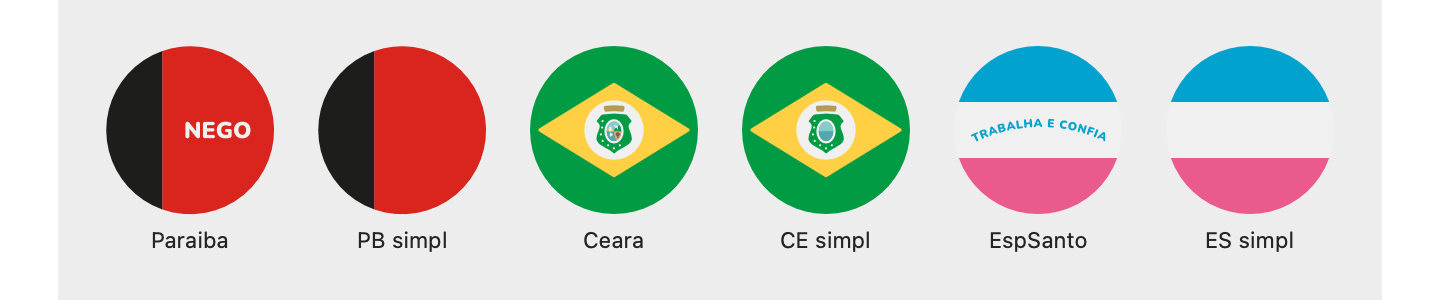
Três estados têm dois desenhos no conjunto original. Eles não seguem um eixo único de "detalhado" e "simples", então cada um é exposto pelo que realmente é:
| Padrão | Alternativa | Diferença |
|---|---|---|
paraiba |
paraibaSimplified |
a simplificada não traz a palavra NEGO |
ceara |
cearaSimplified |
a simplificada não traz o brasão |
espiritoSanto |
espiritoSantoSimplified |
a padrão traz o lema TRABALHA E CONFIA |
BrazilStateFlagView(
    FlagsCircle.bahia,
    accessibilityLabel: "Bandeira da Bahia"
)
Sem accessibilityLabel a bandeira é marcada como decorativa, que costuma ser
o certo quando já existe um texto ao lado.
| Requisito | Mínimo |
|---|---|
| Swift | 5.9 |
| iOS | 15 |
| macOS | 12 |
| tvOS | 15 |
| watchOS | 8 |
| visionOS | 1 |
A arte vem de
icones-bandeiras-br-uf,
de Pierre Lapalu, publicada sob CC0 1.0. Os SVGs são convertidos em Swift por
tool/generate_swift.dart, incluído no repositório.
Flags of the 26 Brazilian states, the Federal District and Brazil. Sharp at any size, in pure Swift, for SwiftUI.
Also available for other platforms: Flutter · Compose Multiplatform
- 28 flags in 4 styles:
full(3:2),rounded(3:2 with rounded corners),squareRoundedandcircle. - Zero assets and zero dependencies. Each flag is vector data compiled into Swift, with nothing in
Assets.xcassets. - Nothing is built eagerly. Each flag is a lazy
static let, so the linker strips the ones an app never names. - Sharp at any size, from 16 pt to full screen.
- iOS, macOS, tvOS, watchOS and visionOS.
In Xcode: File → Add Package Dependencies, then paste the repository URL.
Or in Package.swift:
dependencies: [
    .package(
        url: "https://github.com/Adrianogba/brazil-state-flags-swift.git",
        from: "1.0.0"
    )
]import BrazilStateFlags
import SwiftUI
BrazilStateFlagView(FlagsCircle.saoPaulo)
.frame(width: 48, height: 48)
BrazilStateFlagView(FlagsFull.rioDeJaneiro)
.frame(width: 120)
BrazilStateFlagView(FlagsCircle.sp)
.frame(width: 24, height: 24)The four collections are FlagsFull, FlagsRounded, FlagsSquareRounded and
FlagsCircle.
The view keeps the artwork's aspect ratio, so the flag is never stretched. Just
give it a frame.
if let flag = flagForUF("sp", style: .circle) {
    BrazilStateFlagView(flag).frame(width: 32, height: 32)
}

List(BrazilState.all) { state in
    HStack {
        BrazilStateFlagView(state.flag(.circle)).frame(width: 28, height: 28)
        Text("\(state.uf)  \(state.name)")
    }
}
flagForUF reaches every flag in the requested style, so the linker cannot
drop any of them. If you only need a couple of fixed flags, name the properties
directly.
Three states ship two drawings in the source set. They do not follow a single "detailed versus simple" axis, so each is exposed for what it actually is:
| Default | Alternative | Difference |
|---|---|---|
paraiba |
paraibaSimplified |
the simplified one drops the word NEGO |
ceara |
cearaSimplified |
the simplified one drops the coat of arms |
espiritoSanto |
espiritoSantoSimplified |
the default carries the TRABALHA E CONFIA motto |
BrazilStateFlagView(
    FlagsCircle.bahia,
    accessibilityLabel: "Bandeira da Bahia"
)
With no accessibilityLabel the flag is marked decorative, which is usually
right when a label already sits next to it.
Artwork from
icones-bandeiras-br-uf
by Pierre Lapalu, released under CC0 1.0. The SVGs are converted to Swift by
tool/generate_swift.dart, included in the repository.
MIT. See LICENSE.